The differenceYour two hats
A regular tech only sees their own jobs. A lead sees the whole crew’s schedule and can reassign work, so when the owner is on a job or off for the day, the board still has a driver. You keep everything a tech has (record invoices by voice, clock in, snap receipts, see your own pay) and gain the crew view on top.
You don’t approve timesheets or run payroll, that stays with the owner and admin, so a lead never signs off on their own crew’s hours.
Keep the crew movingRunning the day
- Open Schedule and you’ll see everyone’s day, not just yours. Filter to one tech or view the whole crew.
- Something changes in the field? Move a job to whoever’s closest or free. The tech you hand it to gets notified with the date; the customer’s appointment time is kept.
- Confirm a new request onto a tech when a call comes in, and use Suggest a tech for a ranked pick by distance and workload.
- On the desktop Command Center you get the full drag-and-drop Dispatch board and the live Field View map, same crew view, bigger screen.
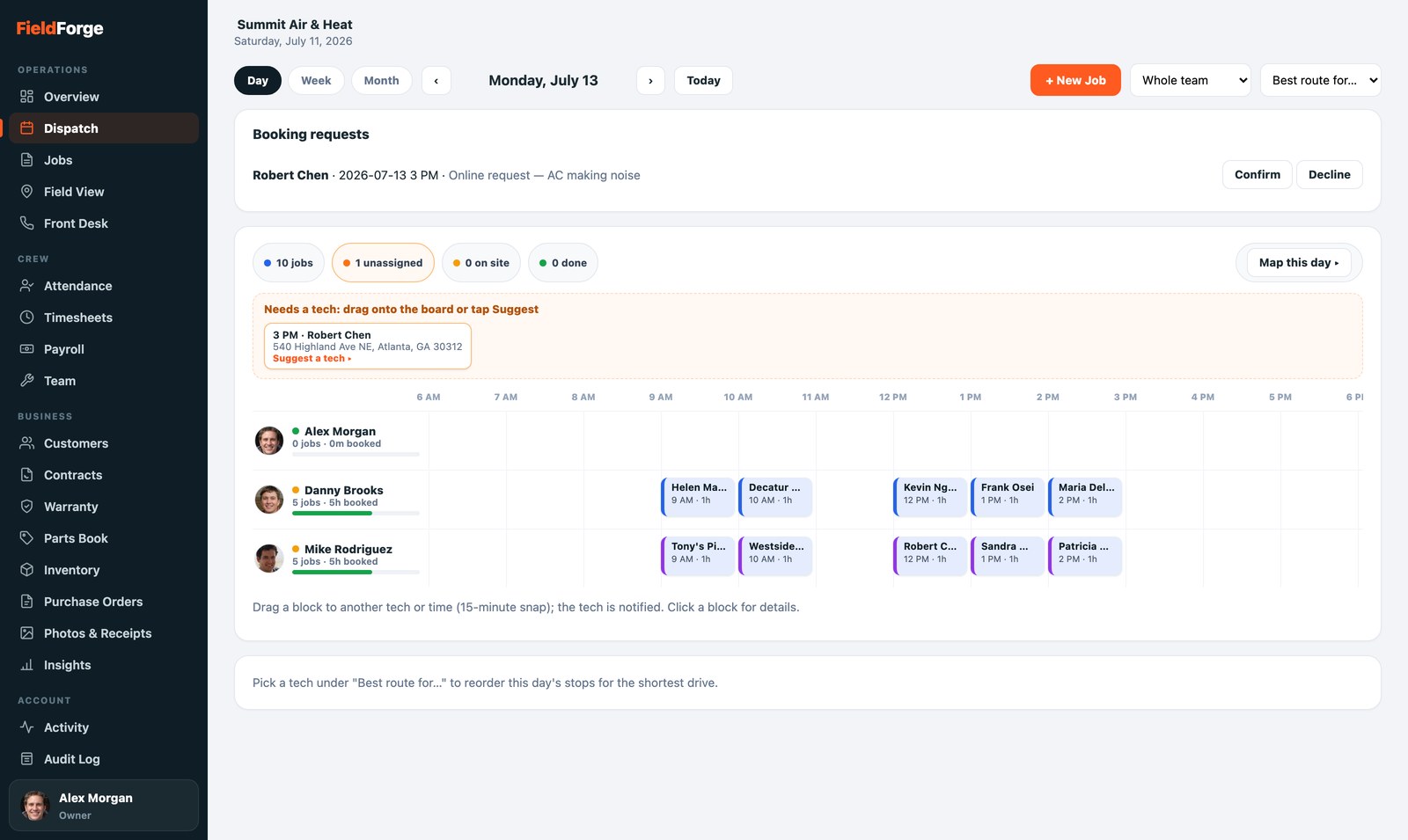
The whole crew’s day: move a job to whoever’s closest when plans change.
Still a techYour own work
Everything in the Tech’s Guide is yours too: clock in from Home, run your route, speak your invoices and estimates into the mic, snap before/after photos and receipts, and watch your pay grow on My Pay. Being a lead just adds the crew view, it never takes the field tools away.
By designWhat stays with the office
- Payroll & timesheet approvals and pay rates are the owner and admin’s.
- Customer records (editing, archiving) and invoicing the office out are the dispatcher’s and admin’s desk; you focus on running the crew and your own jobs.
- Company settings, billing and integrations are owner-only.