The recipeAnatomy of a perfect note
Every good note has three parts, in this order:
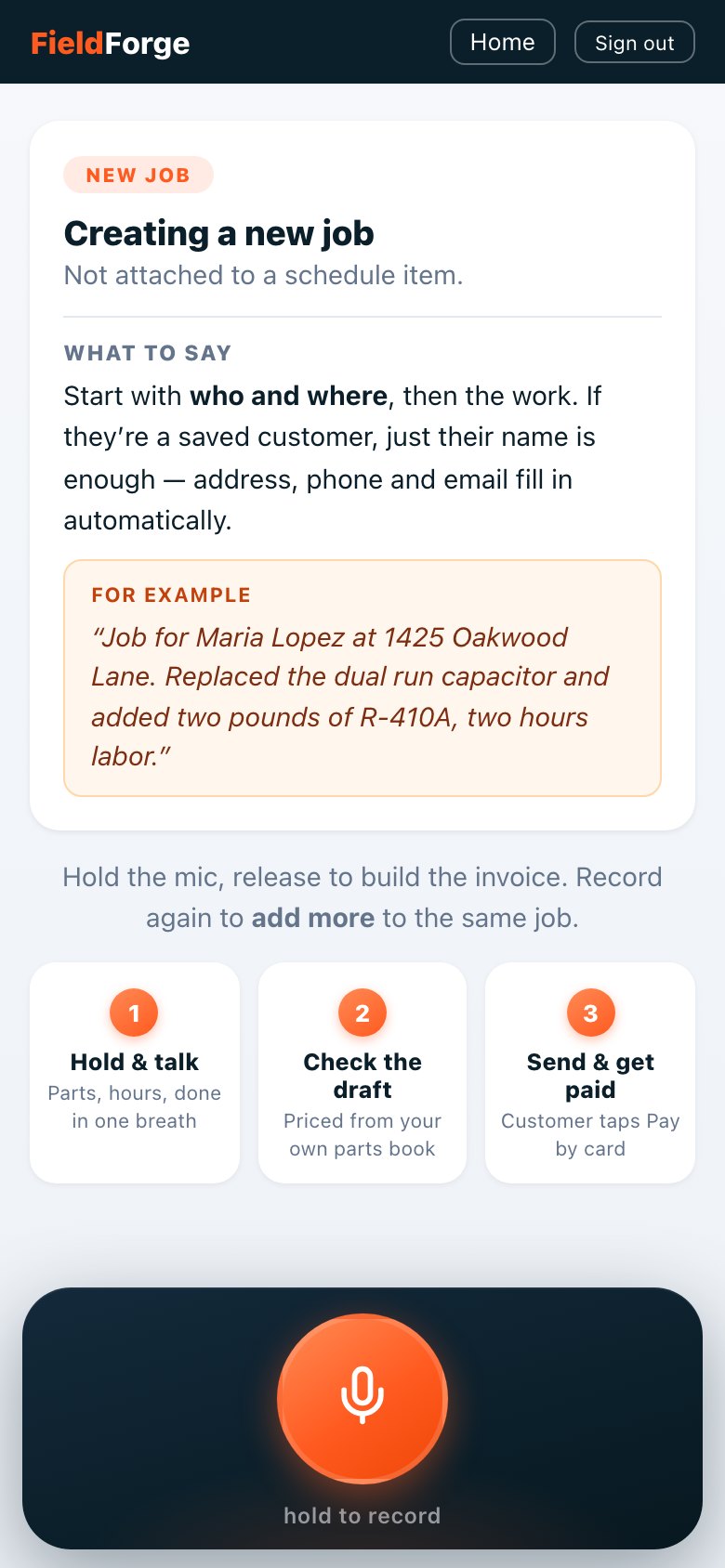
- Who & where. “Job for Maria Lopez at 2214 Bluff Road.” If she’s a saved customer, the name alone fills in everything.
- The work. Parts with quantities, using your price book’s names or nicknames. Then labor: hours, or the flat charge.
- The extras (optional): how they paid, a PO number, the unit you worked on, anything for the notes.
ScriptA standard repair
What comes out: both parts priced from your book, the coil cleaning captured in the description, labor at 1.5 × your rate, tax per your setting. Ready to send in one tap.
ScriptA big install: build it in layers
A long install isn’t one recording. It’s a running conversation with the same job: record as you go, and each note stacks onto the draft. Morning, mid-job, wrap-up. Nothing is lost, nothing starts over.
By the last note the draft holds the whole install: every part, the full story in the description, one labor line. Review it once, send it once.
ScriptAn estimate instead of a bill
Record it exactly like a job, then flip the Invoice / Estimate toggle on the draft. Saying “estimate” in the note is a fine habit for your own records, but the toggle is what makes it official:
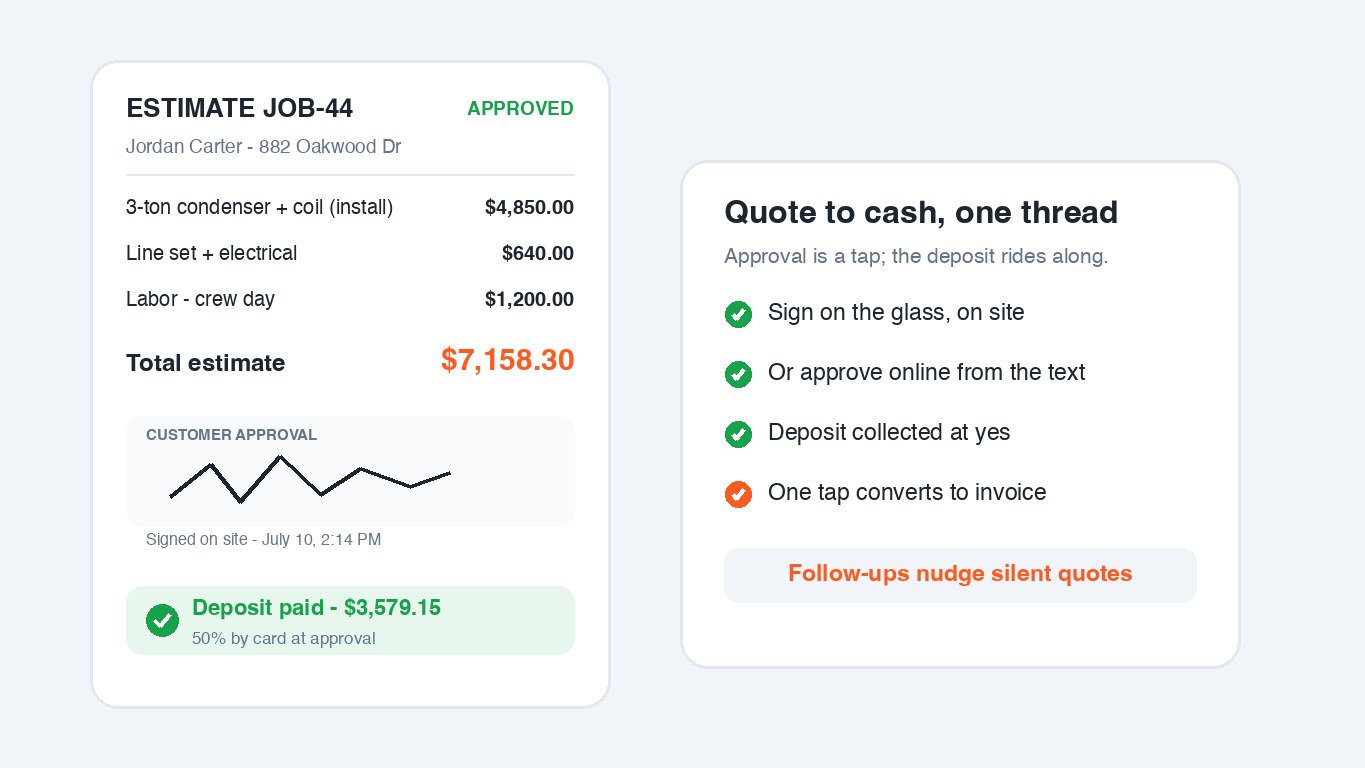
When Dana approves online you’re notified, and if your shop collects deposits she’s asked to pay hers right there. One tap later converts the approved estimate into the invoice for the balance.
Script + editorGood / Better / Best
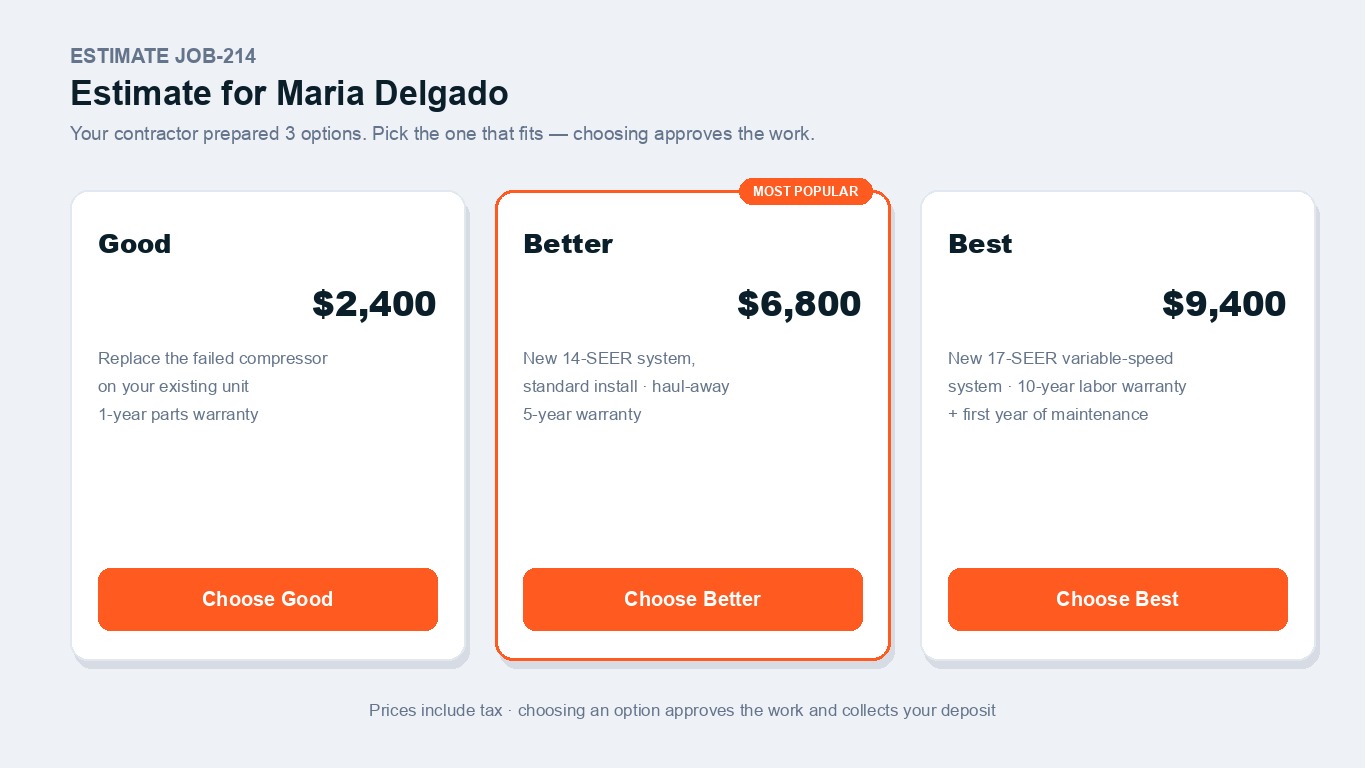
Today this is a two-step flow: speak the base estimate, then add the tiers in the editor. The voice AI builds one priced draft from your note; the three-option card is added on top of it:
- Record the middle option as an estimate: “Estimate for the Hendersons... replace the three-ton system...” That prices the real work from your book.
- Open the draft in the editor and tap Options. Add each tier: a label, a price, one line of description. Example: Good, repair only, $1,850. Better, new 14-SEER system, $7,160. Best, 16-SEER two-stage with a 10-year labor plan, $9,450.
- Send. The customer sees three cards and taps one. The tap is the approval, the estimate rewrites itself to their choice, and any deposit is collected on the price they picked.
ScriptAdding to a job & fixing mistakes
To add: open the same job and record again. New work stacks onto the draft:
To fix: say the correction plainly, or edit the line by hand in the editor:
ScriptPayment, PO numbers & equipment
- Payment mentions land in the payment-method field. PO numbers get their own field (property managers pay faster when it’s on the paperwork). The model and serial build the customer’s equipment record, so warranty tracking starts from your sentence.
- Members are automatic: if the customer has an active maintenance plan, their discount appears as a line item without you saying anything.
Save yourself the retakesWhat NOT to say
- Don’t say prices (“the capacitor was $89”). The book prices it; a spoken price that fights the book just makes the draft messier.
- Don’t spell or dictate punctuation. It’s not a voicemail transcript. Talk normally.
- Don’t narrate a novel. Two to four sentences beats two minutes. You can always record again to add.
- Don’t wait until the truck. Best results, and fastest payments, come from recording in the driveway while it’s fresh.